








Quick Verdict
Dataisland provides accessible AI agent capabilities through a freemium model, making it easy for teams to experiment with workflow automation. One limitation is that its feature set appears more basic compared to specialized paid competitors. Teams and businesses needing straightforward AI agent functionality without upfront costs should consider this tool, especially if they’re testing automation concepts before committing to more advanced solutions.
Dataisland
- Category: AI Agents, AI Productivity & Automation, Workflow AI Tools
- Pricing: Freemium
- Best for: Teams and businesses needing AI ai agents capabilities
Background Check on Dataisland
We ran a background check on www.linkedin.com to verify its safety, security posture, hosting infrastructure, and web history. Here are the results as of April 20, 2026.
✓ Cross Origin Resource Sharing (CORS), Content Security Policy (CSP), Redirection, Strict Transport Security (HSTS), X-Content-Type-Options, X-Frame-Options
✗ Cookies, Subresource Integrity
Source: Mozilla Observatory report
What is Dataisland?
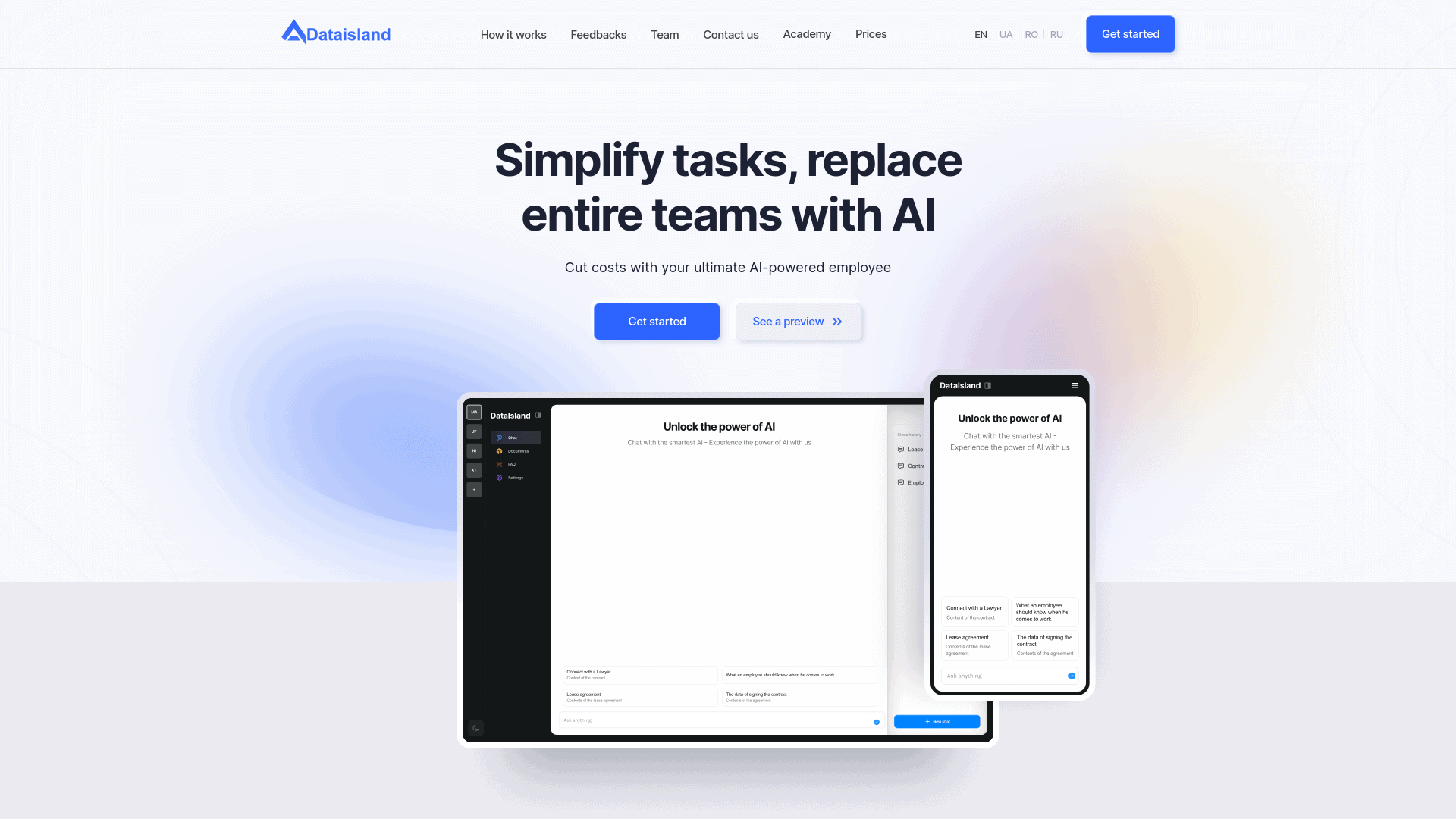
Dataisland is a modern AI tool designed to improves how businesses handle data and documentation. Its primary function is to simplify tasks that traditionally require extensive human effort, effectively replacing entire teams with an AI-powered employee. This tool is particularly tailored for businesses and Education & Learning AI > Educational institutions looking to cut costs and enhance efficiency through automation. Dataisland supports a myriad of file formats and offers solid data security, making it an all-in-one solution for document handling and data processing needs.
Key Features:
Support of Various File Formats: Effortlessly import files, books, and documents in over 100 languages.
Document Creation: Specify the type and size of the document you need and let Dataisland handle the rest.
Data Security: All credentials and documents are secured with industry-standard encryption.
AI Training and File Bank: boost employee data skills with AI training tools and maintain your own library for intellectual discussions and learning.
Pros
Cost Reduction: Significantly reduces operational costs by automating up to 70% of routine work.
24/7 Availability: Provides round-the-clock support, enhancing customer service outside of normal working hours.
Simple Integration: Easily integrates with popular communication tools like WhatsApp, Telegram, Viber, Messenger, and Instagram.
Versatility and Scale: Suitable for a wide range of users from small businesses to large corporations, public universities, and government services.
Cons
Complex Setup for Some Users: May require a detailed initial setup to fully customize the tool to specific needs.
Dependence on Quality of Data Input: The effectiveness of outputs is highly dependent on the quality and format of the data input.
Limited Offline Capabilities: Primarily relies on online connectivity for optimal performance.
Who is Using Dataisland?
Robot Construction Companies: Streamlining document-related tasks and improving team efficiency.
Education & Learning AI > Educational Institutions: Enhancing remote Education & Learning AI > Education and supporting daily student learning with fast and effective technology.
Call Centers: Automating FAQ responses and essential support to free up teams for more personalized customer service.
Governmental Services: Utilizing AI to handle large volumes of documentation and public inquiries efficiently.
Uncommon Use Cases: Trade unions using it for organizing and automating administrative work; small businesses using it for managing customer interactions and internal documentation.
Pricing:
Free Trial: Experience Dataisland with a 14-day free trial.
Pro Tier: Starts at $50 per month.
Disclaimer: Please note that pricing information may not be up to date. For the most accurate and current pricing details, refer to the official Dataisland website.
What Makes Dataisland Unique?
Dataisland stands out with its solid document handling capabilities and 24/7 AI-powered support system, a strong option for businesses looking to automate their AI Productivity & Automation > Workflow AI Tools > Workflows. Its ability to integrate smoothly with widely-used communication tools sets it apart in the market.
Compatibilities and Integrations:
WhatsApp, Telegram, Viber, Messenger, and Instagram: Ensures smooth communication across multiple platforms.
Multi-language Support: Accommodates a global user base with support for over 100 languages.
Strong Encryption Protocols: Guarantees the security and confidentiality of all processed data.
Custom AI Functions: Allows users to tailor the AI’s capabilities to their specific needs.
Dataisland Tutorials:
Explore the extensive tutorial series available on the Dataisland website, covering everything from basic setup to advanced features and customization.
How We Rated It:
Accuracy and Reliability: 4.7/5
Ease of Use: 4.5/5
Functionality and Features: 4.8/5
Performance and Speed: 4.6/5
Customization and Flexibility: 4.4/5
Data Privacy and Security: 4.9/5
Support and Resources: 4.3/5
Cost-Efficiency: 4.5/5
Integration Capabilities: 4.6/5
Overall Score: 4.6/5
Summary:
Dataisland excels in providing solid data handling and document processing capabilities, making it an essential tool for businesses and Education & Learning AI > Educational institutions. Its ability to automate up to 70% of routine tasks, coupled with its strong emphasis on data security and integration with popular communication tools, offers an unmatched advantage in operational efficiency and cost reduction.
How Dataisland Compares to Alternatives
When evaluating AI agent tools, key factors include pricing transparency, team collaboration features, and integration capabilities with existing workflows. Dataisland’s freemium approach offers a low barrier to entry, but businesses should compare how different tools handle complex automation scenarios and enterprise requirements.
| Tool | Best For | Pricing |
|---|---|---|
| Dataisland | Teams wanting to test AI agent capabilities with no initial financial commitment | Freemium model with free tier available |
| YourGPT | Businesses needing comprehensive automation platforms with advanced AI features | Paid subscription required |
| Box | Organizations prioritizing document management alongside basic AI capabilities | Freemium model available |
| Heex Technologies | Enterprises requiring custom AI solutions with dedicated support | Contact for pricing details |
Best For
- Small to medium teams testing AI automation without budget approval
- Businesses needing basic AI agent functionality for routine task automation
- Organizations wanting to prototype workflow improvements before major investment
- Teams that prefer trying tools before committing to contracts
Not Ideal For
- Large enterprises needing enterprise grade security and compliance features
- Users requiring highly specialized AI capabilities beyond basic automation
- Organizations that need guaranteed SLAs and dedicated support teams
Getting Started
Begin by identifying one repetitive team task that could benefit from automation, such as data entry or report generation. Use Dataisland’s free tier to create a simple agent for this specific workflow, then gradually expand to more complex processes once you understand the tool’s capabilities. This approach minimizes disruption while demonstrating value.
Key Limitations to Consider
- Freemium model may restrict advanced features available to free tier users
- Likely lacks the specialized AI capabilities of dedicated enterprise platforms
- May have limited integration options compared to established workflow tools
- Support and documentation could be less comprehensive than paid alternatives
- Scalability for large organizations might require upgrading beyond free tier
Pricing
Dataisland offers a freemium plan with optional paid upgrades. Get started for free and upgrade as needed.
Related Workflows and Tool Pairings
Dataisland functions as an automation layer within broader business processes, particularly for teams implementing AI assisted workflows. It works well alongside project management platforms to automate task assignments and status updates, complementing existing systems rather than replacing them. The tool also pairs effectively with data visualization tools, where AI agents can prepare and organize data for analysis. For content teams, Dataisland could integrate with content management systems to handle routine publishing tasks. The freemium model makes it particularly useful as a testing ground before committing to more expensive automation suites, allowing teams to validate automation concepts before scaling.
Related tools to explore: 11x – AI 24/7 Sales Outreach, AIzon – AI Pharma Manufacturing Analytics, APEX – AI Security Compliance Platform, AUI – AI Data Insight Tool, ActiveLoop.AI – AI Professional Headshot Generator, Adept – AI Workflow Automation Platform, AI Agents tools, AI Productivity & Automation tools
Frequently Asked Questions
What is Dataisland?
Dataisland is a modern AI tool designed to improves how businesses handle data and documentation. Its primary function is to simplify tasks that traditionally require extensive human effort, effectively replacing entire teams with an AI-powered.
Is Dataisland free?
Dataisland offers a free plan with limited features. Paid plans are available for additional capabilities.
What are the best Dataisland alternatives?
There are many AI ai agents tools available. Browse our AI AI Agents tools directory to compare features, pricing, and reviews for the best alternatives.
Last verified: April 2026
Explore more: Browse all AI AI Agents tools | Browse all AI AI Productivity & Automation tools
