















Quick Verdict
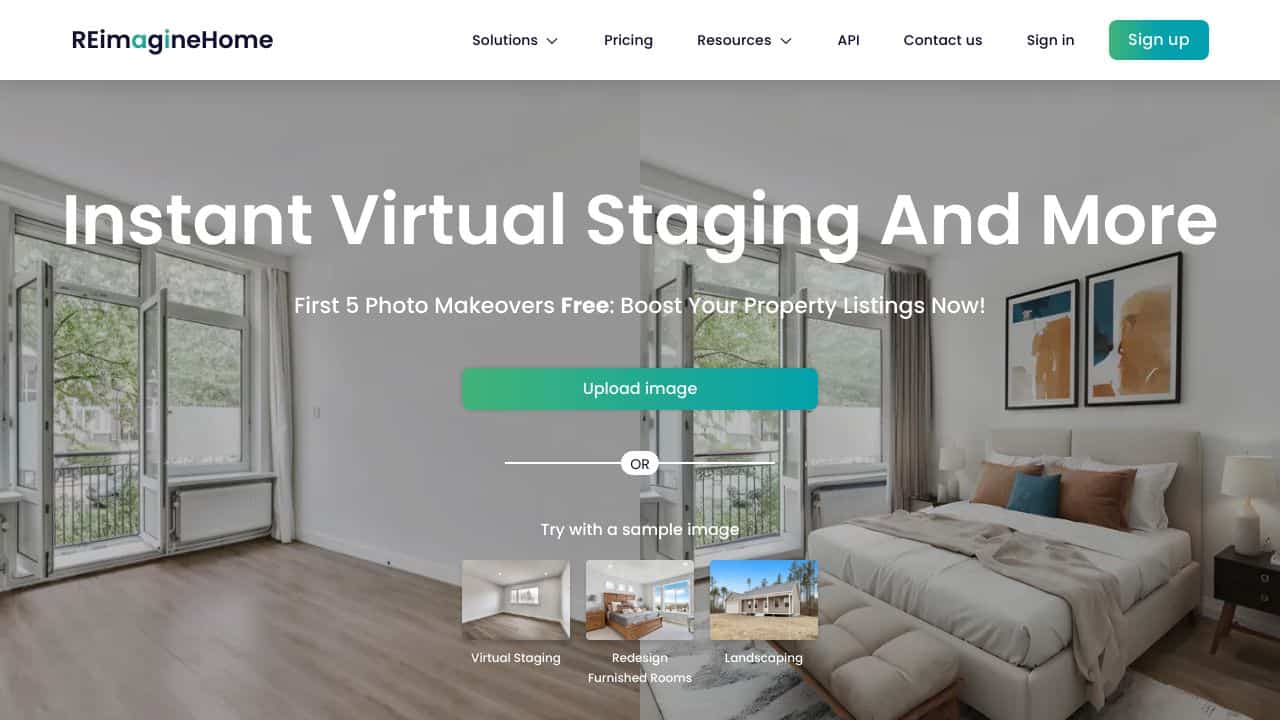
REimagine Home excels at transforming empty rooms into furnished spaces quickly and for free, making it accessible for basic virtual staging. Its limitation is a focus on interior spaces only, with no exterior or landscape redesign capabilities. Real estate agents, landlords, and homeowners looking to visualize furnished rooms without cost or design expertise should consider this tool.
REimagine Home – AI Room Redesign Tool
- Category: Design Generators, Image Editing, Real Estate
- Pricing: Free
- Best for: Homeowners planning interior renovations
Background Check on REimagine Home – AI Room Redesign Tool
We ran a background check on twitter.com to verify its safety, security posture, hosting infrastructure, and web history. Here are the results as of April 19, 2026.
✓ Cookies, Cross Origin Resource Sharing (CORS), Redirection, Strict Transport Security (HSTS), X-Content-Type-Options, X-Frame-Options
✗ Content Security Policy (CSP), Subresource Integrity
Source: Mozilla Observatory report
What is REimagineHome?
REimagineHome is an AI-powered platform that transforms how we visualize and design spaces. Whether you’re a realtor looking to stage a property, an interior designer brAInstorming ideas, or a homeowner dreaming of a renovation, this tool has you covered. It uses advanced AI algorithms to generate photo-realistic designs for virtual staging, room redesigns, landscaping, and even exterior enhancements. Best part? It’s free to start, offering 5 free credits to every user. Think of it as your personal design assistant, ready to bring your ideas to life in seconds.
REimagineHome Features
- AI Virtual Staging: Turn empty rooms into beautifully furnished spaces with just a few clicks.
- AI Virtual Renovation: Experiment with wall colors, flooring, and ceiling designs without lifting a hammer.
- AI Space Decluttering: Remove unwanted objects from photos to create clean, appealing visuals.
- AI Exterior Enhancement: Visualize outdoor upgrades like lawns, pools, or pathways.
- Photo-Realistic Rendering: Get designs that look so real, you’ll forget they’re virtual.
- No Learning Curve: Intuitive and easy to use, even for beginners.
REimagineHome Use Cases
- Realtors: Stage properties virtually to attract buyers without the cost of physical staging.
- Interior Designers: Present clients with multiple design options in minutes.
- Homeowners: Test out renovation ideas before committing to costly changes.
- Developers: Showcase the potential of under-construction properties with realistic visuals.
- Photographers: Enhance property photos by decluttering or restaging spaces.
- Event Planners: Visualize venue setups for weddings, parties, or corporate events.
- Film & TV Set Designers: Create realistic sets without the need for physical props.
How REimagine Home – AI Room Redesign Tool Compares to Alternatives
When evaluating AI Design Generators tools for room redesign, key factors include specialization in interior vs. exterior spaces, output quality for realistic staging, and cost structure. Free tools like REimagine Home prioritize accessibility for basic needs, while alternatives may offer broader features at different price points.
| Tool | Best For | Pricing |
|---|---|---|
| REimagine Home | AI virtual staging of empty rooms and experimenting with wall renovations for interior spaces. | Free with no subscription required. |
| BeYourCover | Generating book cover designs automatically, ideal for authors and publishers. | Freemium model with basic free tier. |
| Wallpapers.fyi | Creating custom AI-generated wallpapers for digital or print backgrounds. | Free platform for wallpaper generation. |
| ThumbnailAi | Rating and optimizing thumbnail images for videos and online content. | Free tool for thumbnail analysis. |
Best For
- Real estate agents staging empty properties for listings quickly.
- Homeowners visualizing furniture layouts before making purchases.
- Landlords furnishing rental units in marketing materials.
- Interior design beginners experimenting with wall colors and decor.
Not Ideal For
- Users needing exterior home or landscape redesign capabilities.
- Professionals requiring high-end, custom furniture brand integrations.
- Projects involving complex architectural changes or structural edits.
Getting Started
Start by uploading a clear, well-lit photo of an empty room to ensure the AI generates accurate furnishings. Use the wall renovation feature to test paint colors before committing to physical changes. Experiment with different room categories, like living room or bedroom, to see varied styling options.
Key Limitations to Consider
- Only supports interior room redesign, with no options for exterior spaces.
- Free version may have limited furniture styles or customization compared to paid tools.
- Output quality depends heavily on input photo clarity and lighting conditions.
- Lacks integration with real furniture brands for direct purchasing from designs.
- No advanced features like 3D walkthroughs or detailed material specifications.
Related Workflows and Tool Pairings
REimagine Home fits into real estate and home renovation workflows by providing quick visualizations before physical changes. After generating a redesigned room, users can pair it with project management tools to track renovation tasks or budgeting apps to estimate costs. For marketing, combine it with social media schedulers to share staged photos on listings. In design processes, use it alongside mood board creators to refine styles before finalizing decisions. This tool acts as a preliminary step to save time and resources in planning stages.
Related tools to explore: 3DFY – AI 3D Model Creator, AI Background Generator – AI Custom Backgrounds, AI Character Generator – AI Storyboard Character Creation, AI Home Design – AI Virtual Staging Renovations, AI Interior Design – Smart Space Designer, AI Logo Generator – AI Logo Creator, Design Generators tools, Image Editing tools
Conclusion
REimagineHomeis a strong option for anyone involved in real estate, interior design, or home improvement. Its AI-powered tools make it easy to visualize and customize spaces, saving time and money while delivering stunning, photo-realistic results. Whether you’re a professional or a homeowner, this platform offers a smooth way to bring your design ideas to life. Ready to reimagine your space? Give it a try – your dream design is just a few clicks away.
- https://twitter.com/styldod
- https://discord.gg/7MyQZBVdHe
- https://in.linkedin.com/company/styld0d
- https://www.facebook.com/styldod
Pricing
REimagine Home – AI Room Redesign Tool is afree AI design generators tool. No payment required to get started.
Frequently Asked Questions
What is REimagine Home – AI Room Redesign Tool?
REimagineHome is an AI-powered platform that transforms how we visualize and design spaces. Whether you’re a realtor looking to stage a property, an interior designer brAInstorming ideas, or a homeowner dreaming of a renovation, this tool has.
Is REimagine Home – AI Room Redesign Tool free?
Yes, REimagine Home – AI Room Redesign Tool is completely free to use.
What are the best REimagine Home – AI Room Redesign Tool alternatives?
There are many AI design generators tools available. Browse our AI Design Generators tools directory to compare features, pricing, and reviews for the best alternatives.
Last verified: April 2026
Explore more: Browse all AI Design Generators tools | Browse all AI Image Editing tools
