












Quick Verdict
Prisma excels at transforming ordinary photos into artistic images using AI that replicates famous painting styles. The main limitation is the lack of transparent pricing, requiring users to contact for quotes. Marketers and content creators who need quick, stylized visuals for social media should consider it, especially if they value artistic effects over detailed editing control.
Prisma – AI Photo To Art
- Category: Image Editing, Image Generators, Social Media
- Pricing: Contact for Pricing
- Best for: Artists and hobbyists transforming personal photos
Background Check on Prisma – AI Photo To Art
We ran a background check on prisma-AI.com to verify its safety, security posture, hosting infrastructure, and web history. Here are the results as of April 19, 2026.
- Server: cloudflare
- Hosting: CLOUDFLARENET – Cloudflare, Inc., US
- SSL Certificate: WE1 (certificate age: 1 days)
- Domain Age: ~9 years (3,499 days)
Source: urlscan.io scan report
✓ Cross Origin Resource Sharing (CORS), Redirection, Referrer Policy, X-Content-Type-Options
✗ Content Security Policy (CSP), Strict Transport Security (HSTS), Subresource Integrity, X-Frame-Options
Source: Mozilla Observatory report
What is Prisma?
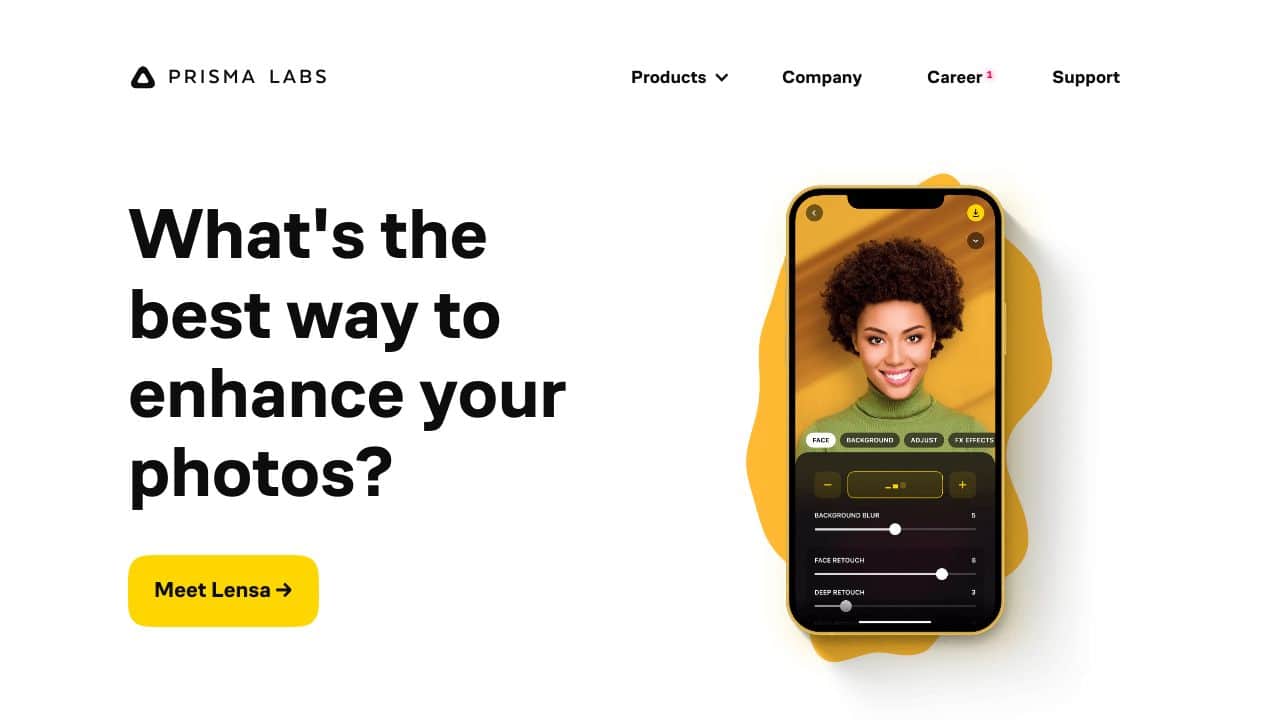
Prisma is a revolutionary AI-powered photo-editing tool that turns your everyday snapshots into breathtaking works of art. Using advanced neural networks, it mimics the styles of legendary artists like Van Gogh, Picasso, and Levitan, transforming your photos into masterpieces in just one tap. Whether you’re a professional photographer, a graphic designer, or just someone who loves playing with visuals, Prisma makes art creation accessible and fun.
Prisma Features
- Artistic Transformation: Converts photos into art using AI, replicating styles of famous pAInters.
- Speed and Efficiency: Applies complex effects in seconds, saving you time.
- High-Resolution Support: Works smoothly with high-res images, preserving every detAIl.
- Extensive Filter Library: Offers a wide range of customizable filters to suit your creative vision.
- User-Friendly Interface: Simple and intuitive, perfect for beginners and pros alike.
Prisma Use Cases
- Professional Photographers: Add unique artistic touches to your portfolio.
- Graphic Designers: Create eye-catching designs for clients or personal projects.
- Content Creators: Stand out on social media with visually stunning posts.
- Art Enthusiasts: Experiment with digital art and explore new styles.
- Real Estate Agents: Enhance property photos to make listings more appealing.
- Educators: Introduce students to digital art concepts in a fun, interactive way.
How Prisma – AI Photo To Art Compares to Alternatives
When choosing an AI Image Editing tools tool, consider whether you need artistic transformation, headshot enhancement, or general editing. Factors like pricing transparency, specific features, and target use cases matter most for practical selection.
| Tool | Best For | Pricing |
|---|---|---|
| Prisma – AI Photo To Art | Converting photos into art styles resembling famous painters quickly. | Contact for pricing, no public plans. |
| Pykaso – Get Your AI Influencer Viral | Creating viral social media content with AI generated influencer images. | Paid model, exact costs unspecified. |
| AirBrush AI Headshots – AI Headshot Enhancement Tool | Enhancing professional headshots with AI for corporate or personal use. | Pricing not specified publicly. |
| HeadshotGenerator.io – AI Headshot Generator Kit | Generating AI headshots from user photos for profiles or portfolios. | Freemium model with free and paid tiers. |
| Photoroom – AI Photo Editing Platform | General AI photo editing with background removal and enhancement features. | Freemium model, free and paid options. |
Best For
- Social media managers creating eye catching artistic posts from photos.
- Content creators needing quick art style conversions for visual projects.
- Marketers designing branded visuals with painterly effects for campaigns.
- Small business owners enhancing product photos with artistic flair.
Not Ideal For
- Users requiring detailed photo retouching or precise editing controls.
- Professionals needing transparent pricing without contacting for quotes.
- Teams that prioritize headshot generation over artistic transformation.
Getting Started
Start by selecting a photo with clear subjects and good lighting, as Prisma’s AI works best on well defined images. Experiment with different art styles to see which ones enhance your content effectively. Use the output for A/B testing on social media to gauge engagement with artistic visuals.
Key Limitations to Consider
- Lack of public pricing requires contacting for quotes, which can delay budgeting.
- Focuses on artistic styles, not offering advanced editing like retouching or compositing.
- May not support batch processing for high volume image transformations.
- Limited control over specific artistic parameters compared to manual editing tools.
- Output quality depends heavily on input photo clarity and resolution.
Related Workflows and Tool Pairings
Prisma fits into workflows where visual content needs artistic enhancement before distribution. For example, after taking product photos, use Prisma to apply painterly styles, then pair it with social media scheduling tools to post the images. Complementary tool types include graphic design software for adding text or logos to the artified images, and analytics platforms to track engagement from the stylized visuals. This creates a streamlined process from photo capture to published content with artistic appeal.
Related tools to explore: 1PX.AI – AI Image Editing Bulk, ACDSee – AI Photo Management, AI Character Generator – AI Storyboard Character Creation, AI Face Swap – Seamless Face Swapper, AI Facefy – Face Swap Creator, AI Filter – Photo Style Transformer, Image Editing tools, Image Generators tools
Conclusion
Prismais more than just a photo-editing tool – it’s a gateway to creativity. With its ability to turn ordinary photos into extraordinary art in seconds, it’s a strong option for photographers, designers, and anyone who loves visual storytelling. Theextensive filter library, high-resolution support, and user-friendly interface make it a useful for both professionals and hobbyists. Whether you’re looking to enhance your social media presence or explore new artistic horizons, Prisma has you covered. Ready to turn your photos into art? Give Prisma a try and see the magic unfold!
Pricing
Prisma – AI Photo To Art uses custom pricing.Contact their sales team for a quote tailored to your needs.
Frequently Asked Questions
What is Prisma – AI Photo To Art?
Prisma is a revolutionary AI-powered photo-editing tool that turns your everyday snapshots into breathtaking works of art. Using advanced neural networks, it mimics the styles of legendary artists like Van Gogh, Picasso, and Levitan, transforming.
Is Prisma – AI Photo To Art free?
Prisma – AI Photo To Art uses custom pricing. Contact their sales team directly for a personalized quote.
What are the best Prisma – AI Photo To Art alternatives?
There are many AI image editing tools available. Browse our AI Image Editing tools directory to compare features, pricing, and reviews for the best alternatives.
Last verified: April 2026
Explore more: Browse all AI Image Editing tools | Browse all AI Image Generators tools
