













Quick Verdict
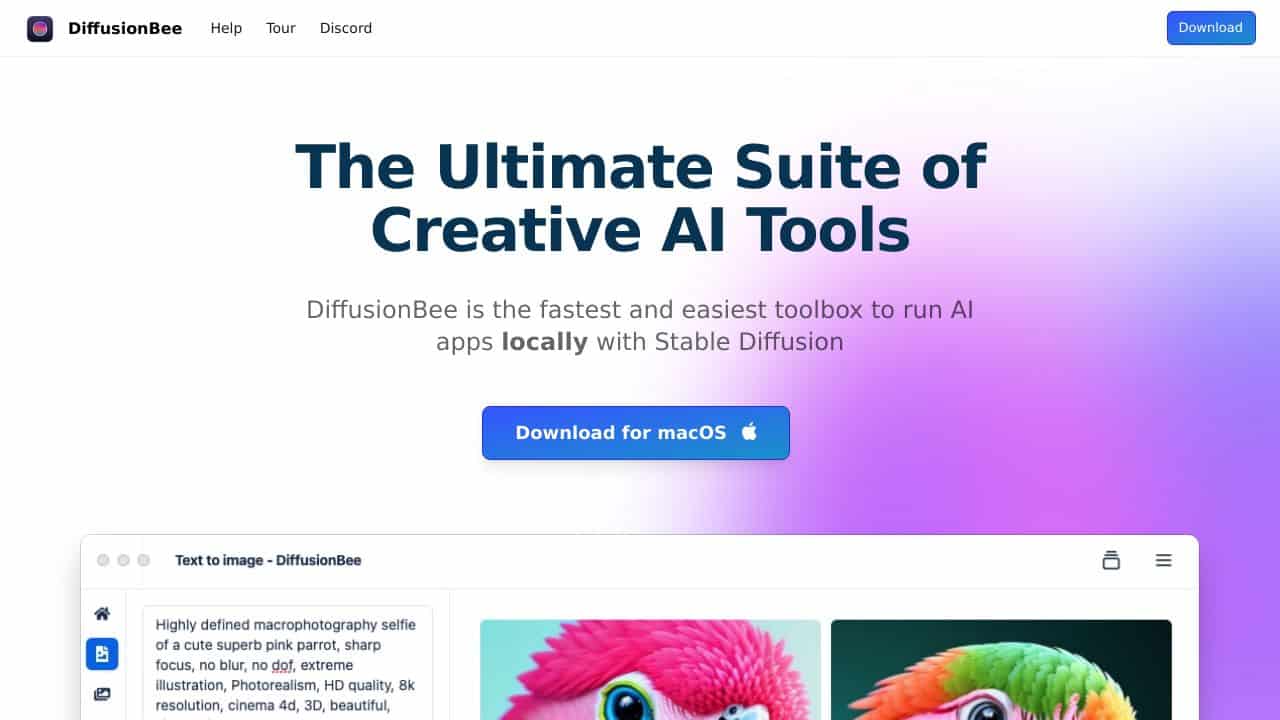
DiffusionBee excels as a free, straightforward text-to-image generator that runs locally on your Mac. Its main limitation is being Mac-only, which excludes Windows and Linux users. Marketers and solopreneurs who need quick concept art without subscription fees should consider it, especially if they work primarily on Apple devices.
DiffusionBee – AI Text To Art Tool
- Category: Image Generators, Text To Image
- Pricing: Free
- Best for: Artists and hobbyists creating images from text
Background Check on DiffusionBee – AI Text To Art Tool
We ran a background check on diffusionbee.com to verify its safety, security posture, hosting infrastructure, and web history. Here are the results as of April 20, 2026.
- Server: cloudflare
- Hosting: CLOUDFLARENET – Cloudflare, Inc., US
- SSL Certificate: WE1 (certificate age: 32 days)
- Domain Age: ~3 years (1,314 days)
Source: urlscan.io scan report
✓ Cross Origin Resource Sharing (CORS), Redirection, Referrer Policy, X-Content-Type-Options
✗ Content Security Policy (CSP), Strict Transport Security (HSTS), Subresource Integrity, X-Frame-Options
Source: Mozilla Observatory report
What is DiffusionBee
DiffusionBee is a revolutionary AI tool designed for creating stunning art directly on your computer. Utilizing the power of Stable Diffusion, it allows users to generate captivating images from simple text prompts. This user-friendly application operates entirely offline, ensuring that your creative process remains private and secure.
DiffusionBee Features
- Text to Image: Generate images from text prompts effortlessly.
- Image to Image: Transform existing images using text prompts.
- Generative Fill: Add or remove objects in selected areas of your images.
- Image Upscaler: Enhance image quality and resolution automatically.
- Image Variants: Create multiple variations of your images.
- Train Models: Build custom models using your own datasets.
- Control Images: Generate images with specific structures using control images.
- Illusion Generator: Craft mesmerizing illusions with AI.
- Video Tools: Utilize various tools to create animations and videos.
DiffusionBee Usecases
DiffusionBee is versatile, catering to a wide range of users:
- Digital Artists: Create unique artworks and explore new styles effortlessly.
- Graphic Designers: Enhance design projects with AI-generated elements.
- Educators and Students: Use it for educational purposes in art and technology courses.
- Tech Enthusiasts: Experiment with AI capabilities in art generation.
- Writers: Visualize scenes or characters for storytelling.
- Hobbyists: Create custom game assets or personal projects.
How DiffusionBee – AI Text To Art Tool Compares to Alternatives
When choosing an image generator, key factors include platform compatibility, pricing structure, and specific use cases. DiffusionBee stands out for being completely free and running locally, but its Mac-only nature is a significant constraint compared to web-based alternatives.
| Tool | Best For | Pricing |
|---|---|---|
| DiffusionBee | Mac users who want a free, local text-to-image generator without subscriptions. | Completely free, no hidden costs. |
| TattooRed | Users specifically needing AI-generated tattoo designs with customization options. | Freemium model with paid upgrades. |
| Vheer | Teams requiring a web-based AI image generator accessible from any device. | Freemium with subscription tiers. |
| Straico | Professionals needing multiple AI tools in one unified workspace. | Freemium with advanced features locked. |
Best For
- Mac-using solopreneurs creating quick visual concepts for social media.
- Marketers prototyping ad imagery without budget for premium tools.
- Content creators needing occasional custom illustrations for blog posts.
- Students or hobbyists exploring AI art generation with zero cost.
Not Ideal For
- Windows or Linux users who need cross-platform compatibility.
- Teams requiring collaborative features or cloud storage.
- Professional designers needing advanced editing controls or high-resolution exports.
Getting Started
Start with simple, descriptive prompts like ‘a cat sitting on a windowsill at sunset’ to see how DiffusionBee interprets text. Since it runs locally, ensure you have sufficient storage space and a relatively recent Mac model for optimal performance. Experiment with the image-to-image feature by uploading a basic sketch to transform.
Key Limitations to Consider
- Only available for Mac OS, excluding Windows and Linux users entirely.
- Lacks advanced features like in-painting, out-painting, or detailed style controls.
- No cloud storage or collaboration features for team workflows.
- Limited to basic text-to-image and image-to-image transformations.
- May have slower generation times on older Mac hardware.
Related Workflows and Tool Pairings
DiffusionBee fits well into early-stage creative workflows where quick visualization is needed. Use it to generate initial concept art for marketing campaigns, blog illustrations, or social media content. Pair it with graphic design software like Canva or Adobe Express to refine the generated images with text overlays and branding elements. For more polished outputs, combine it with photo editing tools to adjust colors, crop, or add filters. Since DiffusionBee is local, it works best alongside cloud storage solutions for organizing and sharing your creations across devices.
Related tools to explore: AI Anime Generator – Anime Art Creator, AI Art Shop – AI PAInting Marketplace, AI Background Generator – AI Custom Backgrounds, AI Headshot Masters – Professional Headshot Generator, AI HentAI Generator – HentAI Art Creator, AI Omnigen – Visual Consistency Generator, Image Generators tools, Text To Image tools
Conclusion
In summary, DiffusionBee stands out as an exceptional tool for anyone interested in AI art creation. Its combination of powerful features, ease of use, and commitment to privacy makes it a top choice for macOS users. Whether you’re a professional artist or a curious beginner, DiffusionBee helps you to unleash your creativity and produce stunning visuals in no time.
- https://www.youtube.com/watch?v=vigY58fdeIE
- https://discord.gg/t6rC5RaJQn
- https://twitter.com/diffusionbee?ref_src=twsrc%5Etfw
- https://github.com/divamgupta/diffusionbee-stable-diffusion-ui
Pricing
DiffusionBee – AI Text To Art Tool is afree AI image generators tool. No payment required to get started.
Frequently Asked Questions
What is DiffusionBee – AI Text To Art Tool?
DiffusionBee is a revolutionary AI tool designed for creating stunning art directly on your computer. Utilizing the power of Stable Diffusion, it allows users to generate captivating images from simple text prompts. This user-friendly application.
Is DiffusionBee – AI Text To Art Tool free?
Yes, DiffusionBee – AI Text To Art Tool is completely free to use.
What are the best DiffusionBee – AI Text To Art Tool alternatives?
There are many AI image generators tools available. Browse our AI Image Generators tools directory to compare features, pricing, and reviews for the best alternatives.
Last verified: April 2026
Explore more: Browse all AI Image Generators tools | Browse all AI Text To Image tools
