













Quick Verdict
Chromakopia Generator provides a free, straightforward solution for creating AI avatars and logos without cost barriers. Its limitation is the lack of pricing tiers, which means advanced features found in paid competitors aren’t available. Teams and businesses needing basic avatar creation for branding or social media should consider this tool. It’s particularly suitable for budget-conscious projects where simplicity outweighs customization needs.
Chromakopia Generator – Chromakopia Design Tool
- Category: Avatars, Design Generators, Logo Generator
- Pricing: Free
- Best for: Teams and businesses needing AI avatars capabilities
Background Check on Chromakopia Generator – Chromakopia Design Tool
We ran a background check on chromakopiagenerator.net to verify its safety, security posture, hosting infrastructure, and web history. Here are the results as of April 18, 2026.
✓ Cookies, Cross Origin Resource Sharing (CORS), Redirection, Strict Transport Security (HSTS), Subresource Integrity
✗ Content Security Policy (CSP), X-Content-Type-Options, X-Frame-Options
Source: Mozilla Observatory report
What is it?
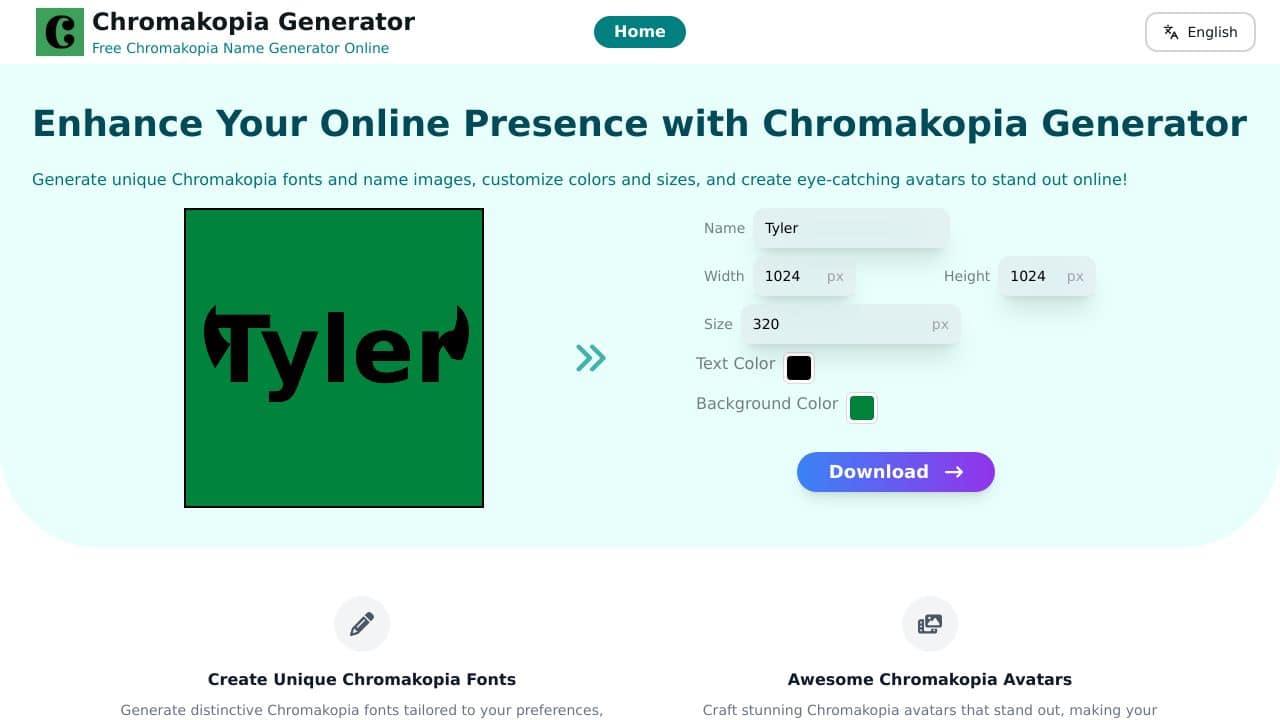
Chromakopia Generator is a revolutionary online platform that allows users to create distinctive Chromakopia-themed designs. Whether it’s personalized fonts or vibrant avatars, this tool facilitates creative expression in unique and colorful formats.
Features of Chromakopia Generator
Discover the impressive features that make this product versatile for various creative needs.
Font and Avatar Creation
The generator allows users to create Chromakopia fonts customized to their preferences, as well as craft visually appealing avatars suitable for both personal and professional applications.
Customization Options
With intuitive tools at their disposal, users can easily modify font sizes, color schemes, and image dimensions to achieve outcomes that reflect their artistic vision accurately.
Intuitive Interface
The platform’s user-friendly interface is designed for all skill levels, enabling anyone to navigate smoothly and produce designs within minutes.
Chromakopia Generator FAQ
How can I use my generated fonts and avatars?
Once created, the fonts and avatars can be downloaded and used in various applications, including marketing materials, social media posts, and personal projects.
Is the platform suitable for beginners?
Yes, the design simplifies the creative process, making it accessible for users with varying levels of experience, from novices to experts.
What devices can I access the generator on?
The generator is web-based and compatible with modern browsers, providing smooth functionality on both desktop and mobile devices.
How Chromakopia Generator – Chromakopia Design Tool Compares to Alternatives
When choosing an avatar tool, key factors include pricing flexibility, customization depth, and specific use cases like branding versus interactive applications. Free tools like Chromakopia Generator prioritize accessibility, while paid options often offer more realistic outputs or specialized features. Consider whether you need basic Avatars tools for quick deployment or advanced capabilities for professional presentations.
| Tool | Best For | Pricing |
|---|---|---|
| Chromakopia Generator | Teams and businesses needing free, basic AI avatars and logos for branding projects. | Completely free with no hidden costs. |
| Interactive Avatar | Users who want customizable virtual avatars for interactive applications or presentations. | Freemium model with paid upgrades. |
| RAVATAR | Professionals requiring lifelike, high-quality avatars for marketing or media production. | Paid subscription with premium features. |
| Profile Picture AI | Individuals seeking AI selfie avatars for personal social media profiles or portraits. | Paid service focused on personal use. |
Best For
- Small businesses creating logo variants or mascots without design budget.
- Marketing teams needing quick avatar assets for social media campaigns.
- Startups prototyping brand identity with AI generated visual elements.
- Freelancers offering basic avatar services to cost sensitive clients.
Not Ideal For
- Enterprises requiring lifelike avatars for high stakes corporate presentations.
- Developers building interactive avatar systems with real time customization.
- Users needing advanced editing tools like layer controls or animation features.
Getting Started
Begin by defining your avatar purpose, such as a logo mascot or team profile image, to guide your design choices. Use the tool’s free features to generate multiple options quickly, then refine based on color schemes or simple adjustments available. Save your outputs in common formats like PNG for immediate use in presentations or social media.
Key Limitations to Consider
- No paid tiers mean limited advanced features compared to premium competitors.
- Avatar customization options may be basic, lacking detailed control over expressions.
- Output quality might not match lifelike standards of specialized paid tools.
- Lack of interactive capabilities for real time avatar manipulation or integration.
- Limited support for complex branding needs like multi format exports or templates.
Related Workflows and Tool Pairings
Chromakopia Generator fits into branding and content creation workflows by providing quick visual assets. After generating avatars, users can integrate them into design software for further refinement, such as adding text or backgrounds. Complementary tool types include graphic design platforms for polishing logos and social media schedulers for deploying avatar based content. For teams, project management tools help track avatar usage across campaigns, ensuring consistent branding. This tool streamlines the initial asset creation phase, allowing marketers to focus on strategy rather than design costs.
Related tools to explore: Akool – AI Video Avatar Creation, Artflow AI – Character Design Simplified, Avatar AI – AI Unique Digital Identities, Avaturn – Realistic 3D Avatar Generator, Blockode AI Photo Studio – Custom Avatar Generator, Bottr – AI Productivity Assistant, Avatars tools, Design Generators tools
Conclusion
In summary, Chromakopia Generator is an excellent choice for individuals and professionals looking to develop unique visual content through customized fonts and avatars. Whether for branding, social media enhancement, or personal projects, this tool caters to diverse creative needs while being user-friendly enough for beginners. However, those requiring advanced graphic design features may find it less suited for their purposes.
Pricing
Chromakopia Generator – Chromakopia Design Tool is afree AI avatars tool. No payment required to get started.
Last verified: April 2026
Explore more: Browse all AI Avatars tools | Browse all AI Design Generators tools
