


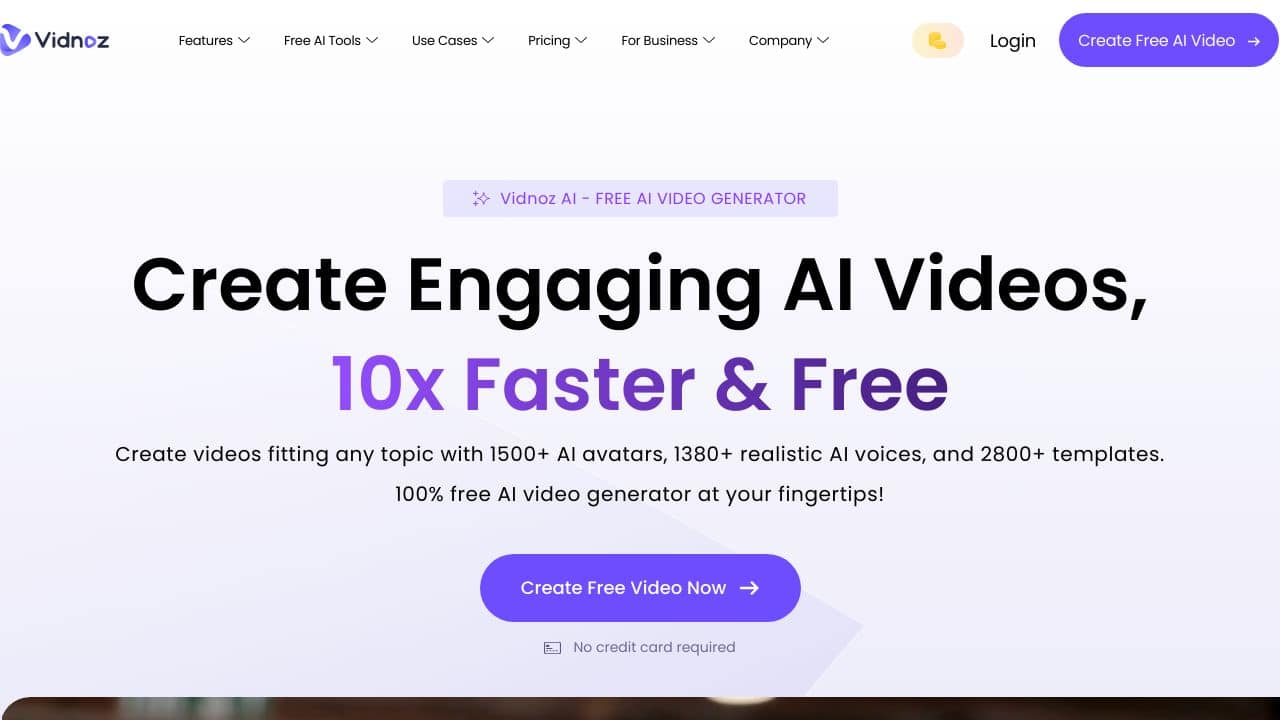









Quick Verdict
Vidnoz AI excels at creating professional AI avatar videos with integrated voice capabilities, making it a solid choice for teams and businesses. Its paid-only pricing means no free tier for testing, which could be a barrier for solopreneurs. Consider this tool if you need consistent, branded avatar content for marketing or training at scale.
Vidnoz AI – AI Video Creator
- Category: Avatars, Video Generators, Voice
- Pricing: Paid
- Best for: Teams and businesses needing AI avatars capabilities
Background Check on Vidnoz AI – AI Video Creator
We ran a background check on www.vidnoz.com to verify its safety, security posture, hosting infrastructure, and web history. Here are the results as of April 20, 2026.
- Server: AmazonS3
- Hosting: AMAZON-02 – Amazon.com, Inc., US (US)
- SSL Certificate: Amazon RSA 2048 M01 (certificate age: 113 days)
- Domain Age: ~3 years (1,160 days)
Source: urlscan.io scan report
✓ Cross Origin Resource Sharing (CORS), Redirection, X-Frame-Options
✗ Content Security Policy (CSP), Strict Transport Security (HSTS), Subresource Integrity, X-Content-Type-Options
Source: Mozilla Observatory report
What is it?
This product is an advanced AI video generator designed to improves video content creation.
Features of the Product
This section highlights the distinctive features that make this AI video tool a standout choice for creators.
AI-Powered Video Enhancement
This product utilizes sophisticated machine-learning algorithms along with advanced vision technology, streamlining the processes of layout, design, and editing. As a result, users experience a marked improvement in both video quality and overall productivity.
Versatile Video Solutions
A comprehensive suite of AI-driven tools is available, catering to diverse needs such as learning, business, news, and social media content. This versatility enables users to effortlessly craft stunning videos for various applications.
Extensive Templates
With access to over 300 diverse video templates, users can easily create professional-looking videos suitable for any event or industry.
Realistic Avatars
Users can select from more than 100 lifelike avatars to customize their videos, adding a unique element that enhances viewer engagement.
FAQ about the Product
How does Vidnoz AI improve video creation?
Vidnoz AI simplifies the video-making process by automating complex tasks, allowing users with minimal editing skills to achieve remarkable results.
What types of videos can I create?
This tool enables users to generate various video types, including educational, marketing, and social media content, making it suitable for multiple contexts.
Is there a cost associated with using Vidnoz AI?
Users can enjoy free access to a solid suite of AI-powered video creation tools, ensuring that modern technology is available to everyone.
What resources are available for creators?
The platform provides a large collection of video-making resources tAIlored to different scenarios, helping users create engaging and impactful videos effortlessly.
How Vidnoz AI – AI Video Creator Compares to Alternatives
When evaluating AI avatar tools, key factors include avatar realism, voice integration, and pricing structure. For business use, consider whether the tool supports team collaboration and scales with your video production needs.
| Tool | Best For | Pricing |
|---|---|---|
| Vidnoz AI | Teams and businesses needing integrated AI avatar video creation with voice capabilities. | Paid plans only, no free tier. |
| Interactive Avatar | Users wanting customizable virtual avatars for interactive applications and demos. | Freemium model with paid upgrades. |
| RAVATAR | Creators prioritizing highly realistic, lifelike avatar generation for professional videos. | Paid subscription required. |
| Profile Picture AI | Individuals generating AI selfie avatars for social media profiles and personal branding. | Paid service for avatar creation. |
Best For
- Marketing teams creating consistent avatar spokesperson videos for campaigns.
- Corporate training departments producing scalable onboarding video content.
- Businesses needing branded avatar videos with synchronized voiceovers.
- Teams requiring collaborative AI video creation workflows.
Not Ideal For
- Solopreneurs needing a free tool for occasional personal video projects.
- Users wanting highly interactive, game-like avatar experiences.
- Individuals creating casual social media content without team features.
Getting Started
Begin by defining your avatar’s role and script before opening Vidnoz AI. Prepare your voiceover text or select from available voice options to streamline the video creation process. Test with a short video first to understand timing and avatar movements.
Key Limitations to Consider
- No free tier available for testing before committing to paid plans.
- May lack advanced customization options compared to specialized avatar tools.
- Voice integration might have limited language or accent options.
- Team features could require higher pricing tiers for full functionality.
Related Workflows and Tool Pairings
Vidnoz AI fits into video production workflows where consistent avatar presence is needed across multiple videos. Start by scripting content in a text editor or collaborative writing tool. After creating avatar videos in Vidnoz AI, use video editing software to add intros, outros, and background music. For distribution, pair with social media scheduling tools or learning management systems. This tool works well with scriptwriting platforms for content preparation and analytics tools for tracking video performance. Consider combining with stock media libraries for background visuals to enhance your final videos.
Related tools to explore: Akool – AI Video Avatar Creation, Artflow AI – Character Design Simplified, Avatar AI – AI Unique Digital Identities, Avaturn – Realistic 3D Avatar Generator, Blockode AI Photo Studio – Custom Avatar Generator, Bottr – AI Productivity Assistant, Avatars tools, Video Generators tools
Conclusion
In summary, this AI video generator is an innovative tool designed for both seasoned content creators and those new to digital content. Its range of features makes it particularly appealing for educators, marketers, and individuals seeking to enhance their video storytelling capabilities.
Pricing
Vidnoz AI – AI Video Creator is apaid AI avatars tool. Visit the official website for current pricing plans and details.
Last verified: April 2026
Explore more: Browse all AI Avatars tools | Browse all AI Video Generators tools
