














Quick Verdict
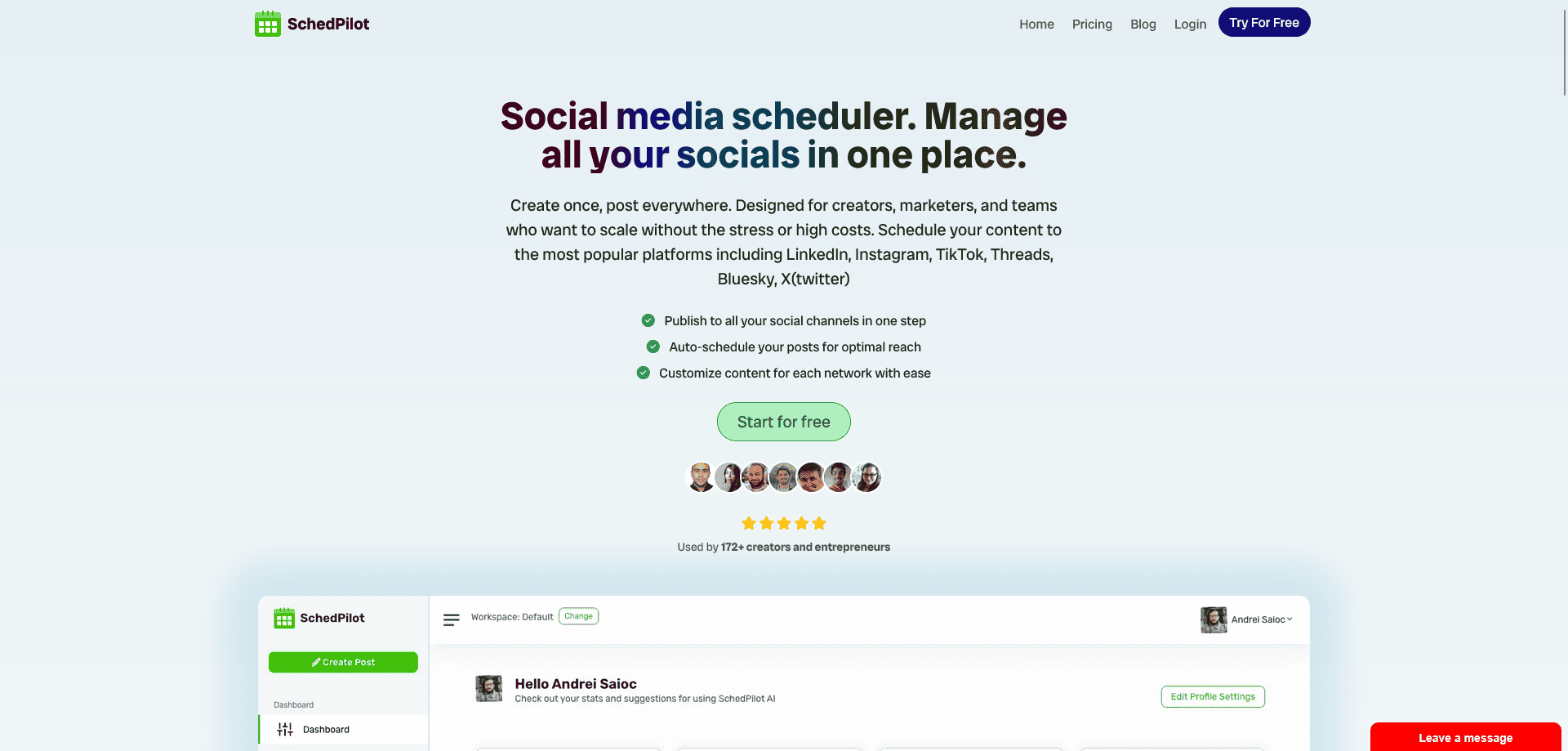
SchedPilot excels as a multi-platform social media scheduler with broad platform support including Twitter, LinkedIn, Facebook, Instagram, Bluesky, Threads, YouTube, and TikTok. Its analytics dashboard provides essential engagement and click tracking. The paid pricing may deter budget-conscious users. Marketers managing multiple social channels who need reliable scheduling and basic analytics should consider it.
SchedPilot – Smart Scheduling for Serious Social Growth
- Category: Social Media
- Pricing: Paid
- Best for:Multi-platform scheduler – schedule posts across, analytics dashboard – track engagement, clicks,
Background Check on SchedPilot – Smart Scheduling for Serious Social Growth
We ran a background check on schedpilot.com to verify its safety, security posture, hosting infrastructure, and web history. Here are the results as of April 20, 2026.
✓ Cross Origin Resource Sharing (CORS), Redirection
✗ Content Security Policy (CSP), Strict Transport Security (HSTS), Subresource Integrity, X-Content-Type-Options
Source: Mozilla Observatory report
Schedpilot is a social media post scheduler tool with AI built in for maximum productivity and aimed for individuals or agencies that manage multiple customers. It rivals with tools like buffer, hootsuite, postplanner and others.
Managing your social media shouldn’t feel like juggling flaming swords. That’s where SchedPilot steps in. Built for creators, marketers, and teams who want precision without the chaos, SchedPilot lets you schedule posts across multiple platforms with ease, track performance metrics in real-time, and actually enjoy the process. It’s like having a co-pilot for your social media cockpit, with of course minus the turbulence.
I remember when I used to forget posting times and scrambled like a caffeinated squirrel. Since using SchedPilot, my schedule runs smoother than a barista’s pour. Whether you’re trying to hit peak engagement times or just need your weekends back, this tool’s got your back.
SchedPilot Highlights
- Multi-Platform Scheduler– Schedule posts across Twitter, LinkedIn, Facebook, instagram, facebook, bluesky, threads, youtube, tiktok and more.
- Analytics Dashboard– Track engagement, clicks, reach, and ROI from one clean interface.
- Smart Timing AI– Automatically picks optimal times to post based on audience behavior.
- Team Collaboration– Assign roles, approve posts, and keep everyone in sync.
- Content Calendar View– Drag, drop, and organize like a productivity ninja.
- Recurring Posts & Campaigns– Reuse high-performing content without lifting a finger.
Feature Spotlight
1. The Content Calendar You Didn’t Know You Needed
With a visual layout that’s honestly more organized than my kitchen drawers, SchedPilot’s calendar lets you plan, preview, and reschedule content in a snap. Drag-and-drop functionality makes managing campaigns as satisfying as popping bubble wrap. I usually find myself rearranging posts just for the thrill of it. Ok please don’t judge me.
2. Built-In Smart Analytics (a.k.a. Your Social Crystal Ball)
Numbers don’t lie, but they sure can confuse. Thankfully, SchedPilot simplifies it all. Engagement rates, click-throughs, audience growth, you name it. The interface distills complex data into bite-sized insights. I once stared at Google Analytics for an hour before realizing I was on the wrong tab. Never again.
3. One Tool, Many Voices – Team Features
Whether you’re flying solo or managing a team of social warriors, collaboration is smooth. Assign user roles, set approval workflows, and leave internal notes on posts. You won’t need a separate Slack channel just to say, “Can you fix that typo in Line 3?”
How SchedPilot – Smart Scheduling for Serious Social Growth Compares to Alternatives
When choosing a Social Media tools scheduling tool, key factors include platform coverage, analytics depth, and pricing structure. SchedPilot competes in a crowded market where alternatives often specialize in specific platforms or offer different pricing models.
| Tool | Best For | Pricing |
|---|---|---|
| SchedPilot | Multi-platform scheduling across Twitter, LinkedIn, Facebook, Instagram, Bluesky, Threads, YouTube, TikTok | Paid subscription model |
| LinkedGrow | AI-powered content creation and scheduling specifically for LinkedIn | Paid subscription model |
| BrandMov | Lifetime access to social media scheduling with one-time payment | Lifetime deal pricing |
| Social 360 Suite | Comprehensive social media management with scheduling and analytics | Lifetime deal pricing |
Best For
- Marketers managing 5+ social platforms who need consistent posting
- Agencies scheduling content for multiple client accounts across platforms
- Founders handling their own social media across professional and personal channels
- Teams needing basic engagement analytics without complex reporting
Not Ideal For
- Solo creators on a tight budget who need free tools
- Businesses focused exclusively on WhatsApp marketing campaigns
- Enterprises requiring advanced social listening or sentiment analysis
Getting Started
Begin by connecting your highest-priority social platforms first, like LinkedIn and Instagram. Use the analytics dashboard immediately to establish baseline engagement metrics. Schedule a week’s worth of content to test the platform’s reliability before committing to long-term planning.
Key Limitations to Consider
- Paid pricing only, no free tier for basic scheduling needs
- Analytics dashboard tracks engagement and clicks but lacks advanced metrics
- No mentioned AI features for content creation or optimization
- Platform list includes Facebook twice, suggesting potential interface issues
- Limited information about team collaboration features or permissions
Conclusion
SchedPilot doesn’t just help you post but it helps you show up. In today’s crowded digital space, timing and consistency can make or break your brand. That’s why I trust this platform to manage the chaos while I focus on creativity. With smart automation, intuitive tools, and performance insights that actually make sense, you’ll finally feel in control of your content strategy.
So whether you’re a solo creator, an agency running multiple accounts, or just someone who wants fewer headaches on Monday mornings, SchedPilot is your ticket to effortless, effective social media scheduling. Let’s just say it’s the tool I wish I built myself.
Pricing
SchedPilot – Smart Scheduling for Serious Social Growth is apaid AI social media tool. Visit the official website for current pricing plans and details.
Related Workflows and Tool Pairings
SchedPilot fits into a social media management workflow as the scheduling and basic analytics component. It works best when paired with content creation tools like graphic design platforms for creating post visuals, and copywriting assistants for crafting engaging captions. After scheduling posts through SchedPilot, marketers might use dedicated analytics platforms for deeper performance insights, or community management tools for engaging with comments and messages. The tool serves as the central hub for posting consistency, while other specialized tools handle creation and advanced analysis stages of the workflow.
Related tools to explore: AI Image to Caption Generator – AI Photo Caption Generator, AI Logo Maker – Logo Design Creator, AI Meme Maker – Meme Creation Tool, AI Social Media Post Generator – AI Timely Content Publishing, AI Sticker Generator – AI Sticker Creator, AI SuitUp – AI Professional Headshot Creation, Social Media tools
Frequently Asked Questions
What is SchedPilot – Smart Scheduling for Serious Social Growth?
Schedpilot is a social media post scheduler tool with AI built in for maximum productivity and aimed for individuals or agencies that manage multiple customers. It rivals with tools like buffer, hootsuite, postplanner and others.
Is SchedPilot – Smart Scheduling for Serious Social Growth free?
No, SchedPilot – Smart Scheduling for Serious Social Growth is a paid tool. Visit the official website for current pricing and plan options.
What are the best SchedPilot – Smart Scheduling for Serious Social Growth alternatives?
There are many AI social media tools available. Browse our AI Social Media tools directory to compare features, pricing, and reviews for the best alternatives.
Last verified: April 2026
Explore more: Browse all AI Social Media tools
