














Quick Verdict
Google Cloud Speech to Text excels at high-accuracy transcription across 125+ languages, powered by Google’s advanced Chirp foundation model. Its enterprise-grade infrastructure means it’s not the simplest option for casual users. This tool is best for businesses needing reliable, scalable transcription for global content or complex audio.
Google Cloud Speech to Text – AI Voice To Text Accuracy
- Category: Transcriber
- Pricing: Paid
- Best for: Developers building voice recognition features
Background Check on Google Cloud Speech to Text – AI Voice To Text Accuracy
We ran a background check on www.youtube.com to verify its safety, security posture, hosting infrastructure, and web history. Here are the results as of April 19, 2026.
✓ Cookies, Cross Origin Resource Sharing (CORS), Redirection, Strict Transport Security (HSTS), X-Content-Type-Options, X-Frame-Options
✗ Content Security Policy (CSP)
Source: Mozilla Observatory report
What is Google Cloud Speech-to-Text?
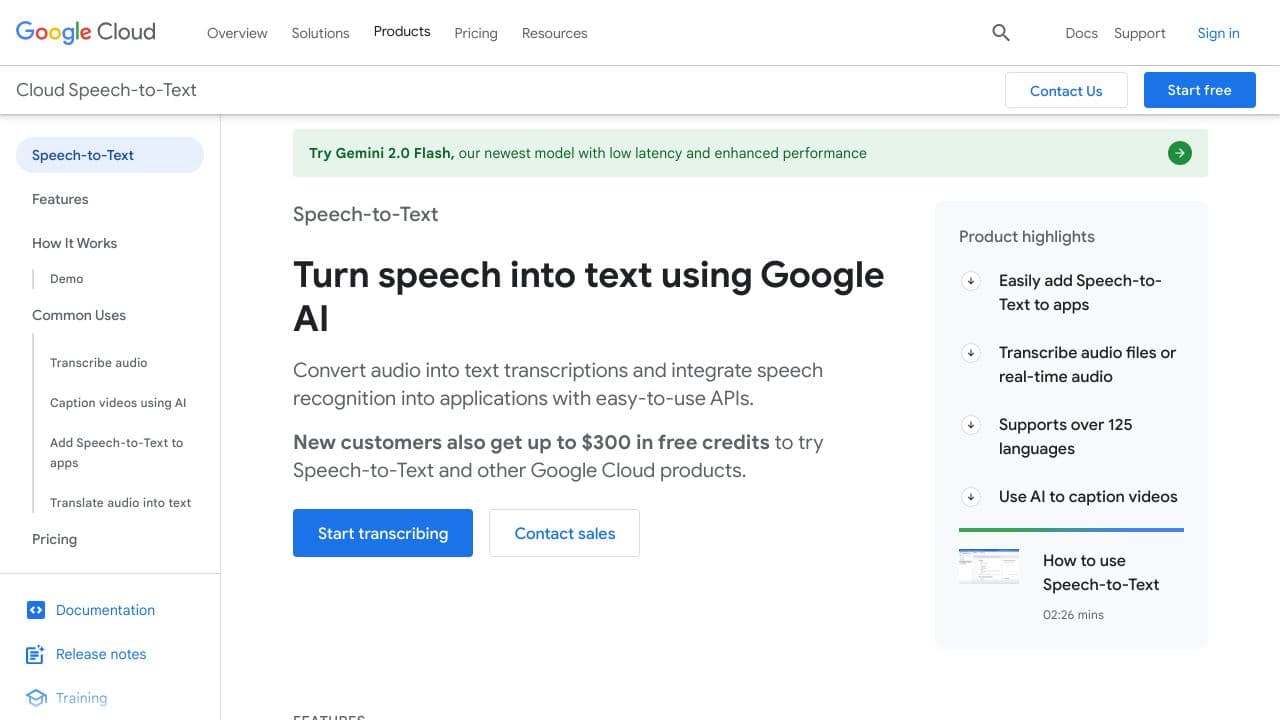
Google Cloud Speech-to-Text is a powerful AI tool that transforms spoken language into written text with remarkable accuracy. Built on Google’s advanced AI technology, it supports over 125 languages and variants, making it a go-to solution for global applications. Whether you’re transcribing audio files, captioning videos, or integrating speech recognition into apps, this tool delivers fast, reliable, and scalable results. Plus, new users get up to $300 in free credits to explore its capabilities.
Google Cloud Speech-to-Text Features
- Advanced Speech AI: Powered by Chirp, a foundation model trAIned on millions of hours of audio and billions of text sentences.
- Global Language Support: Transcribes over 125 languages and dialects, catering to a worldwide audience.
- Real-Time Streaming: Delivers instant transcription for live audio, perfect for customer service or live events.
- Customizable Models: TAIlor recognition for domAIn-specific terms, like medical jargon or technical phrases.
- Noise Robustness: Handles noisy environments without requiring additional noise cancellation.
- Automatic Punctuation: Adds commas, periods, and question marks to transcriptions for better readability.
- Speaker Diarization: Identifies and separates speakers in multi-speaker conversations.
- On-Prem Support: Run the tool in your private data centers for enhanced security and control.
Google Cloud Speech-to-Text Use Cases
- Content Creators: Generate subtitles for videos or podcasts to make content more accessible. For example, YouTubers can use it to auto-caption their videos.
- Call Centers: Transcribe customer service calls in real-time for better analysis and trAIning.
- Healthcare Professionals: Dictate patient notes and convert them into text for medical records.
- Educators: Provide live captions during virtual lectures to improve accessibility for students.
- Developers: Add voice control to apps, like voice-activated assistants or smart home devices.
- Researchers: Transcribe interviews or field recordings for qualitative analysis.
How Google Cloud Speech to Text – AI Voice To Text Accuracy Compares to Alternatives
When choosing transcription tools, consider accuracy across accents and noise, language support, and integration capabilities. For enterprise use, pricing transparency and API reliability are also key factors.
| Tool | Best For | Pricing |
|---|---|---|
| Google Cloud Speech to Text | Global enterprises needing high-accuracy transcription across 125+ languages with advanced AI. | Paid, usage-based enterprise pricing. |
| ByteCap | Teams focused specifically on video captioning and subtitle generation. | Paid subscription model. |
| MeetGeek | Small teams wanting free meeting transcription with basic productivity features. | Free tier available. |
| Deciphr Ai | Podcast creators needing transcription plus content repurposing tools. | Paid platform subscription. |
Best For
- Multinational companies transcribing customer service calls in multiple languages.
- Media companies converting large audio/video archives to searchable text.
- Research teams analyzing interviews or focus groups across diverse accents.
- Developers building apps requiring real-time speech recognition APIs.
Not Ideal For
- Individuals needing one-time personal audio transcription.
- Teams wanting all-in-one meeting notes with task tracking.
- Startups with very limited budgets needing simple free tools.
Getting Started
Begin by testing the API with short, clear audio samples to gauge accuracy for your specific use case. Review Google’s documentation on optimizing audio quality, as background noise significantly impacts results. Start with pay-as-you-go pricing before committing to volume discounts.
Key Limitations to Consider
- Requires technical setup through Google Cloud Platform, not a simple web app.
- Pricing can become expensive for high-volume continuous transcription needs.
- No built-in editing interface, you must handle text output separately.
- Real-time streaming has latency that may not suit ultra-fast response applications.
- Limited pre-built integrations compared to some specialized competitor tools.
Related Workflows and Tool Pairings
Google Cloud Speech to Text typically serves as the transcription engine within larger content or data pipelines. After audio is converted to text, the output often flows into content management systems for publishing, or into data analysis platforms for insights extraction. This pairs naturally with translation services for multilingual content creation, and with text analysis tools for sentiment tracking or keyword extraction. For complete workflows, you might combine it with audio editing software to clean recordings first, and with collaboration platforms where transcribed text needs team review. The tool excels as a reliable component in automated systems rather than as a standalone end-user application.
Related tools to explore: AI Phone – AI Call Efficiency Transcription, AI Transcription by Riverside – AI Multilingual Transcription Tool, AI.OpenSubtitles.com – Subtitle Generation Tool, AIrCaption – Audio to Caption Tool, Abridge – AI Medical Documentation Streamlining, Alphy – AI Transcription Assistant, Transcriber tools
Conclusion
Google Cloud Speech-to-Text is a strong option for anyone needing accurate and efficient speech-to-text conversion. With its advanced AI models, global language support, and real-time capabilities, it’s perfect for businesses, creators, and developers alike. Whether you’re captioning videos, transcribing calls, or building voice-enabled apps, this tool delivers unmatched performance and flexibility. Plus, with $300 in free credits for new users, there’s no better time to give it a try. Ready to transform speech into text? Google Cloud Speech-to-Text has you covered.
Pricing
Google Cloud Speech to Text – AI Voice To Text Accuracy is apaid AI transcriber tool. Visit the official website for current pricing plans and details.
Frequently Asked Questions
What is Google Cloud Speech to Text – AI Voice To Text Accuracy?
Google Cloud Speech-to-Text is a powerful AI tool that transforms spoken language into written text with remarkable accuracy. Built on Google’s advanced AI technology, it supports over 125 languages and variants, making it a go-to solution for.
Is Google Cloud Speech to Text – AI Voice To Text Accuracy free?
No, Google Cloud Speech to Text – AI Voice To Text Accuracy is a paid tool. Visit the official website for current pricing and plan options.
What are the best Google Cloud Speech to Text – AI Voice To Text Accuracy alternatives?
There are many AI transcriber tools available. Browse our AI Transcriber tools directory to compare features, pricing, and reviews for the best alternatives.
Last verified: April 2026
Explore more: Browse all AI Transcriber tools
